AI Capabilities
AI capabilities
Axiom Border can run machine-learning models on the probe, in containers, to detect anomalies in the metrics it ingests. A model trains locally on local data, exposes an inference endpoint on loopback, and rules call it to decide whether an event is worth an alarm.
The point is the same as everywhere else in the product: no cloud round trip, no data leaving the site.
Linux and the central role are required
This feature requires Linux and the container engine that the central role installs, so deploy
AI capabilities on that role.
Anywhere else the rest of the probe runs normally — every other subsystem is unaffected — but the AI capability does not start, and the controls that deploy or train a model have nothing behind them.
Anomaly detection covers system metrics
Deploy the capability with agent type metrics, which detects anomalies in the system metrics the
probe ingests. The other agent types — ssh, iface, usb — appear in the API but are not supported
yet.
Where you manage it
AI capabilities in the console lists the models configured on the probe. On a fresh installation it is empty, because model images are supplied separately from the product:
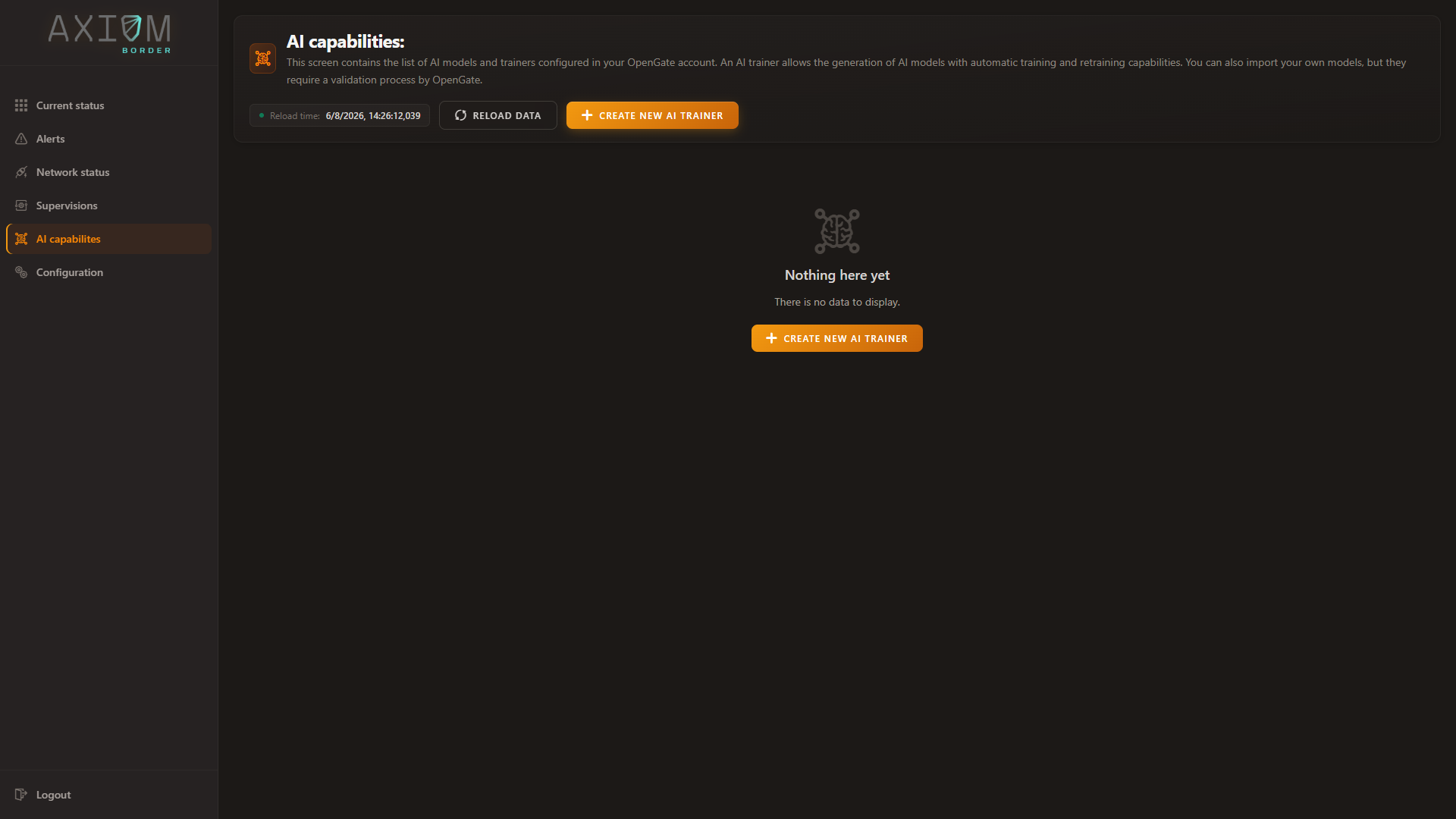
From here you create a capability, follow its training state, force or cancel a training run, edit the rule that calls the model, and read the quality metrics the model reports about itself. Everything on this page is done from that view — the sections below follow it in order.
The lifecycle
flowchart TB
    TAR["Model image tarball<br>supplied separately"]:::ext -->|"stage on disk"| IMG["Image imported<br>for one agent type"]
    IMG -->|"deploy"| EXPORT["Training data<br>exported"]
    EXPORT --> DEPLOY["Container deployed"]
    DEPLOY --> HEALTH{"Model<br>healthy?"}
    HEALTH -->|"not yet"| HEALTH
    HEALTH -->|"responds"| READY["READY"]
    READY -->|"retrain due"| TRAIN["TRAINING"]
    TRAIN --> READY
    READY -->|"predict"| INFER["Inference<br>from rules"]
    classDef ext fill:#e9edfa,stroke:#486ac9,color:#101010
Each agent type has a fixed loopback port, which is how a rule reaches the right model:
| Agent | Port | Container name |
|---|---|---|
iface |
5555 | <trainerContainerName>-iface |
ssh |
5556 | <trainerContainerName>-ssh |
usb |
5557 | <trainerContainerName>-usb |
metrics |
5558 | <trainerContainerName>-metrics |
Each model listens on the host’s loopback address, so rules reach it at 127.0.0.1:<port>.
Loading a model image
Model images are not part of the installation bundle — they are supplied separately, because which model you run is a decision about your data rather than about the product.
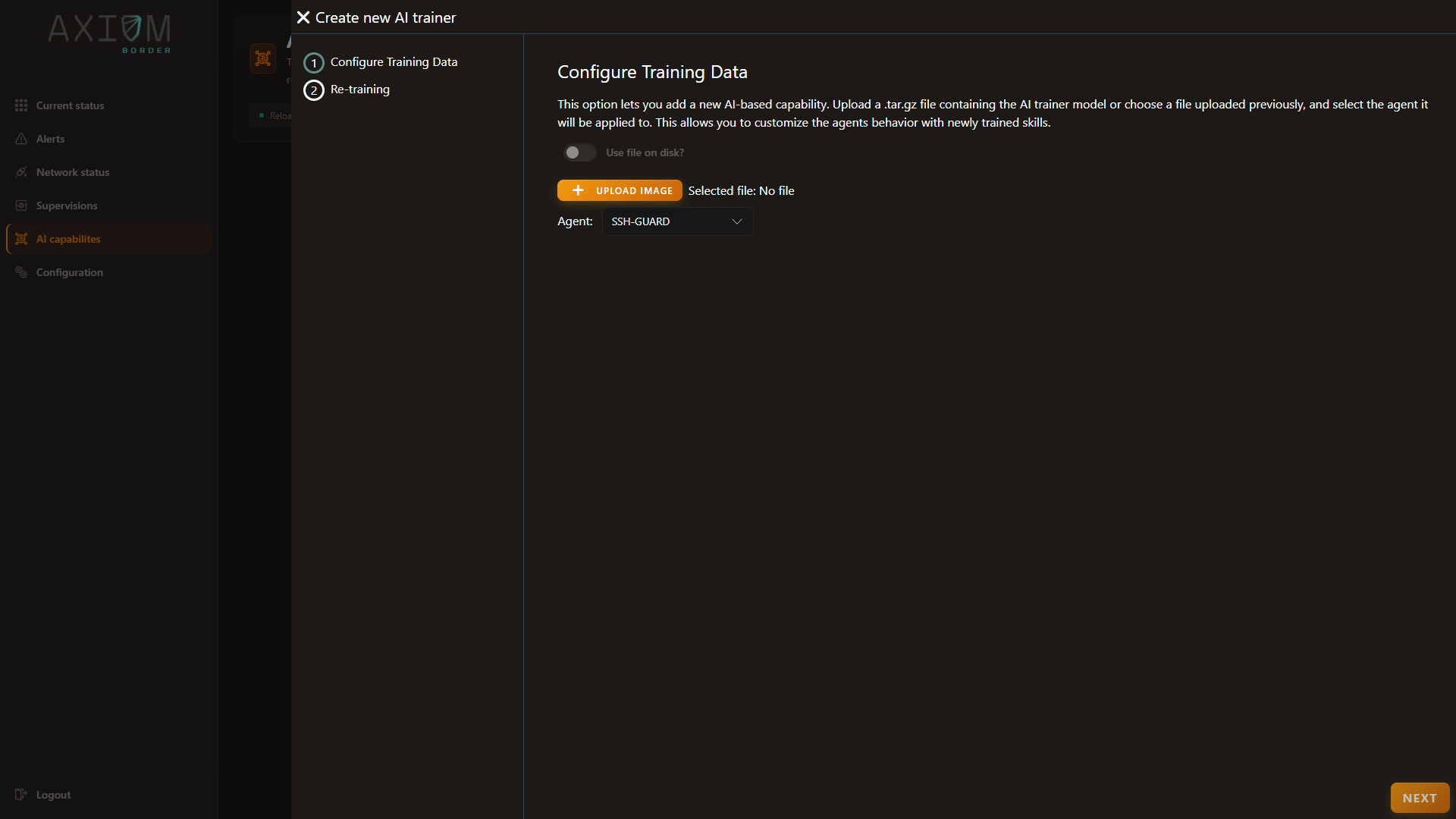
Create new AI trainer collects everything needed in one step: the model package, and the agent type it applies to. You can upload the package from your machine, or tick Use file on disk and pick one already staged on the probe — the wizard lists what is there, with the directory it is reading.
Loading an image replaces the others
Importing a model keeps the image for the agent you named and removes the images loaded for other agent types. If you intend to run capabilities for more than one agent, importing them one after another will not accumulate them.
Deploying a capability
The same wizard deploys it. Two settings decide how it behaves afterwards:
| Setting | What it does |
|---|---|
| Retraining period | How often the model retrains. Ten minutes is the minimum — shorter is rejected. Leave it at zero and the model never retrains |
| Script enabled | Whether the rule for this agent runs. It can be set to enable itself as soon as data arrives from that agent |
Deployment then does four things in order: exports the training data the probe already holds, starts the model with that data available to it, waits for the model to report itself healthy, and marks the capability ready — at which point it collects the model’s own quality metrics and enables the rule.
The health wait is bounded, roughly a minute and a half by default. A model that is slow to start needs that raised in Configuration; it is not a failure of the model.
Only one capability per agent type can exist at a time. Deploying over an existing one is refused — remove it first.
Following it from the console
The table on AI capabilities is the whole operational picture: trainer and model name, type, the retraining period, when it last ran and when it runs next, whether the script is enabled, the data source and inferencer, the model version, and the status.
| Status | Meaning |
|---|---|
| READY | Trained and serving inference |
| TRAINING | A training run is in progress |
| READY, LAST TRAINING FAIL | Serving, but the most recent training run failed |
| CANCEL, WAITING TO RESUME | A run was cancelled; the schedule decides what happens next |
| ERROR | Something failed, with the detail alongside |
Each row carries its actions:
| Action | What it does |
|---|---|
| Train now | Forces a training run outside the schedule |
| Cancel training | Stops a run in progress |
| Edit retraining | Changes the retraining period |
| Edit script | Opens the rule that calls this model, with a template if it has none yet |
| Show metrics | The model’s own quality metrics from its last training |
| Audit log | Every execution recorded for this capability |
| Delete | Removes the capability |
Forcing a run does not move the schedule
Train now updates the last-executed time but leaves the next scheduled run exactly where it was. It is also refused while a run is already going, and it waits for a scheduled run rather than colliding with it.
Cancel training stops the probe waiting for the model to come back rather than killing a computation mid-flight, which is why the capability lands in a waiting state rather than simply stopping.
Training makes inference briefly unavailable
Every training run re-exports the data, restarts the model and waits for health again — so there is a window during which inference does not answer. A rule that asks the model during that window gets an error, and it should handle that as “no answer” rather than treating it as an anomaly. A model restarting is not a security event.
Deleting is best-effort, and says so
Removing a capability cleans up the container, the image, the rule script, the exported data and the stored record, and stops the retraining schedule. It reports success even when part of that cleanup failed, with the details alongside — so read what it reports rather than assuming a silent success.
Calling inference from rules
This is where the capability earns its place. A rule script fetches recent metrics, builds a feature vector, asks the model to score it, and raises an alarm when the model says anomaly:
Two globals are available to scripts for this: newPredict(payloadJSON, agentType) calls the model’s
inference endpoint, and newGetMetrics(agentType) fetches the model’s own metrics. Both target the
loopback port for that agent, and both are configured under trainerDetails.
Keep the script time limit above the predict timeout
The predict call has its own timeout (default 10 s), but the entire script invocation is bounded by
gojaTimeout (default 8 s). With those two defaults, a slow inference call cannot complete — the script
is stopped first.
If your rules call inference, set gojaTimeout comfortably above trainerDetails.predict.timeout, or
lower the predict timeout. Always define gojaTimeout: without a time limit, scripts do not run at all.
The rule script for an agent is enabled through ruleEnabled when deploying the capability, and can be
managed directly through the /scripts endpoints. See Alarms and rules.
Surviving a restart
Capabilities are part of the probe’s local state, and startup restores them: containers are resumed, model metrics are re-fetched, and retraining schedules resume from their stored next-run time.
One case is treated deliberately: a capability that was training when the process stopped is
considered cancelled rather than resumed, because the training run did not finish. It moves to the
appropriate cancelled state and waits for its next scheduled run.
Failures during this restoration are logged and do not prevent startup.
Configuration reference
The relevant block is trainerDetails — container name, TLS material, and the three endpoint
definitions for health, metrics and inference. See
Configuration.
The health, metrics and inference endpoints are meant to be reached over loopback only. Keep them bound
to 127.0.0.1 and do not expose those ports beyond the host.