From Event to Alarm
Three paths, one gate
Three different things can raise an alarm on an Axiom Border probe:
- A periodic check counting occurrences of an event over a window and finding too many.
- A dead-machine check finding a node that has gone silent — alarming on absence, which is the only way to catch a node that stopped reporting rather than one reporting something bad.
- A rule deciding, in code, that what it just saw is worth an alarm.
All three arrive at the same gate, and what that gate does is the single most operationally significant thing in this part of the product.
Coalescing by identity
Two alarms that say the same thing about the same device are the same alarm. When a condition trips repeatedly, the probe does not create a new alarm each time. It recognises the identity of the alarm — which agent, which device, which name and type, which severity, which underlying description — and folds the repeat into the alarm that is already open. What changes are its fields:
| Field | Meaning |
|---|---|
| First seen | When the condition first held |
| Last seen | The most recent time it fired |
| Count | How many times it has fired |
This pays twice over, and the two payoffs are worth separating because they matter to different people.
For the operator. A brute-force attempt that trips a threshold every five minutes for an hour is one thing happening, and it should read as one row with a count of twelve. Twelve identical rows are not twelve times the information — they are the same information, twelve times, pushing everything else off the screen. An alert repeated a thousand times is an alert, not a thousand alerts.
For the probe. Every distinct alarm is a distinct series in the history. Minting a fresh identity per occurrence makes that history grow without bound and slows every query made against it. Coalescing keeps the history of a busy probe queryable months later.
One row with a count is the signal, not a summary
When you see a count of 40 on an alarm, the probe is not telling you it collapsed 40 alarms to save room. It is telling you the condition has held 40 times since it first fired, and it is still open. The count is the severity information.
Acknowledging is not silencing
ACK on the Alerts view marks an alarm as seen, which closes the coalescing window on it.
The consequence is deliberate: the next occurrence after an acknowledgement opens a fresh alarm. It does not silently add one to a count on something you already dealt with. If the condition comes back, you get told again.
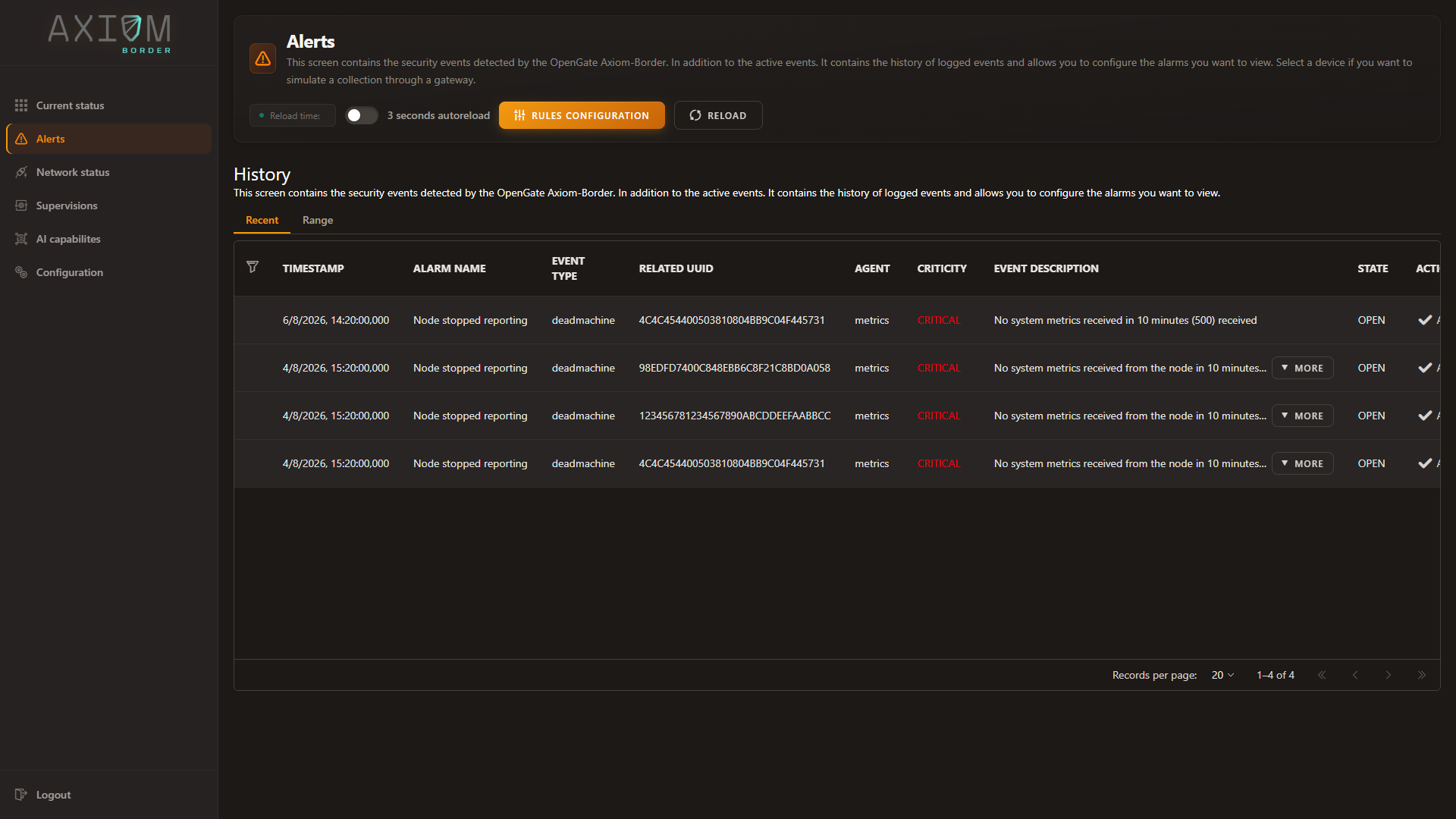
Two tabs sit above the table. Recent reads the probe’s live feed — the alarms it already holds in memory, answered instantly. Range queries a window of history instead, which is what you want when reconstructing an incident after the fact.
Open alarms survive a restart
The state of what is currently open is kept on the probe itself, not held in memory and lost on the next service restart. A probe that reboots comes back knowing which alarms were open and which had been acknowledged — and a quiet week does not make it forget either.
Rules that already know what changed
Rules are edited from Alerts → Rules configuration, where the declarative alarm rules sit in the upper table and the scripted Expert System sits below with its own enable switch:
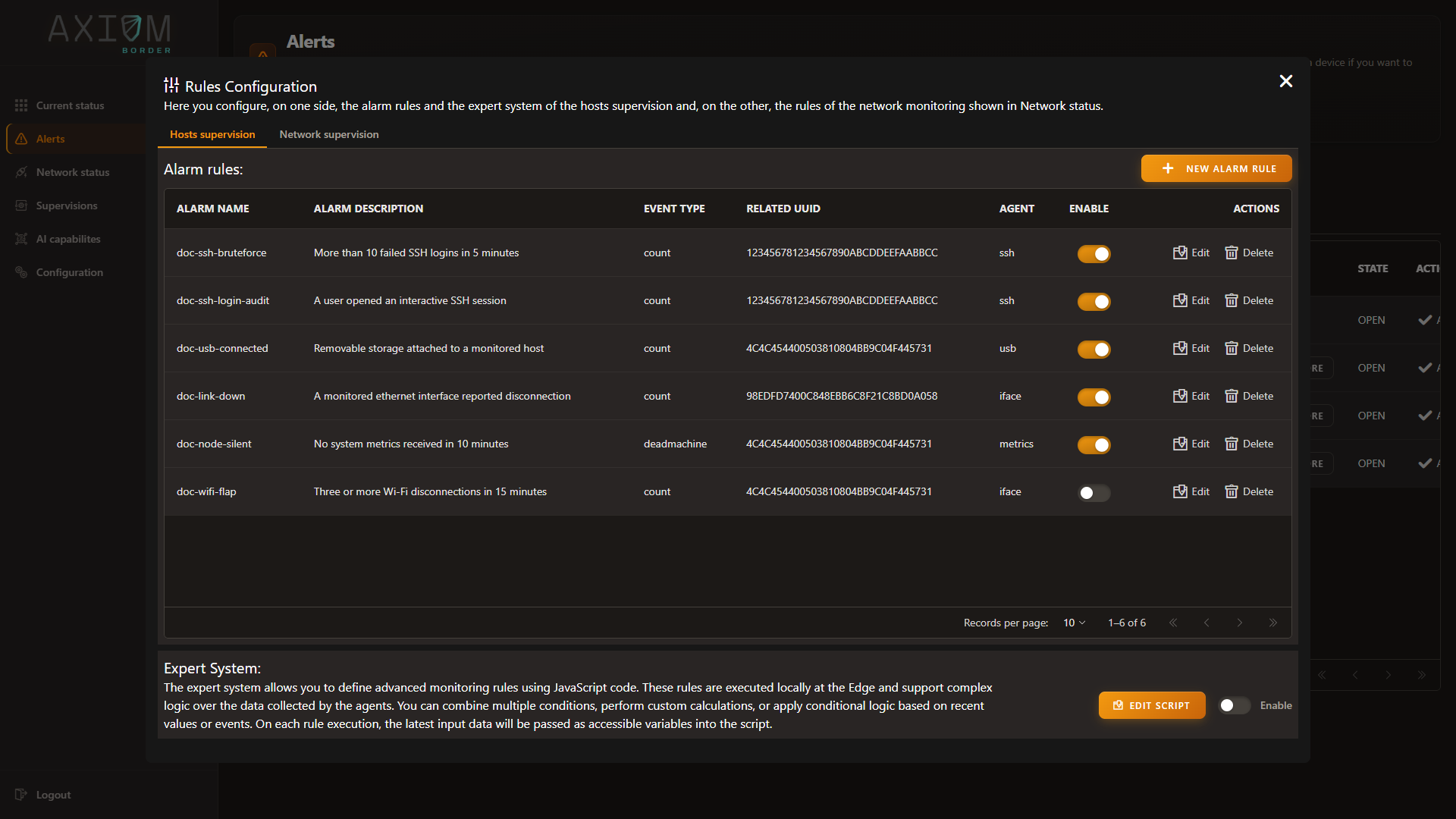
There is one rule set per probe — one for discovery, one for vulnerability scanning, one for SNMP and one for passive analysis — and each receives that probe’s findings already enriched with what changed since the last time the probe saw the same thing:
- whether this is new,
- whether the value changed,
- and what the previous value was.
That is why a rule can say “this port is new” or “this value moved” without querying any history to find out. The comparison has already been made by the time the rule runs.
Each probe reports at its own granularity — one finding per vulnerability, one per host and one per port for discovery, one per value for SNMP, one per traffic flow and per port for passive analysis.
Rules are per probe, not across probes
A rule sees one probe’s findings. Correlating across probes — this port opened and that vulnerability appeared — is outside what the rules engine does; each evaluation belongs to a single probe. Build that correlation where you have the whole picture, in OpenGate.
The live feed
Every alarm is also pushed onto a small in-memory feed of the most recent events, oldest dropping off the end. It is what the console reads to paint its counter and its Recent tab, which is why those respond instantly however much history the probe has accumulated.
Full operating detail — creating checks, writing rules, the fields available to them — is in Alarms and rules.
Next: AI on the probe — when the rule needs a model to decide.