Pipeline Processor Scheduler
Allows scheduling a Pipeline Processor. With a pipeline processor you can execute multiple pipelines and rest requests in a scheduled way.
Steps
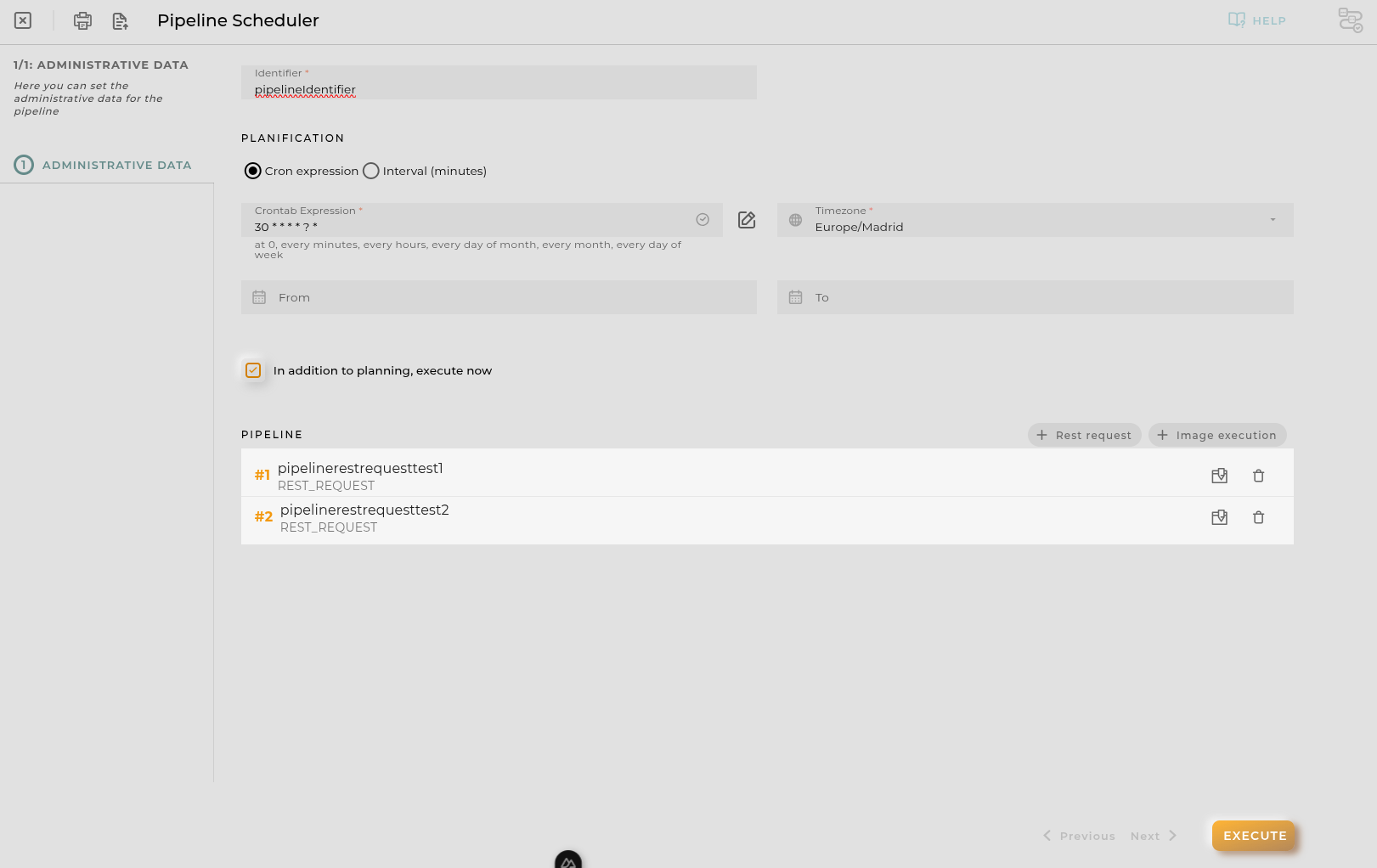
Pipeline Processor Form
Essential data for registering and identifying a pipeline processor in the platform.
Identifier: The identifier of the pipeline processor.
Image Executions: The images to be executed.
Rest Requests: The rest requests to be executed.
Each one will be executed in sequence. You can reorder the sequence by dragging and dropping the items. It requires at least 2 items in pipeline.
Planification
There is two options for planification:
Cron Expression
Cron expression: The cron expression to be followed.
Timezone: The timezone to be used for the cron expression.
Interval
Interval (minutes): The interval in minutes to be followed.
Both options are mutually exclusive. Also you can define a start and end date for the schedule.
From Date: The date when the schedule should start.
To Date: The date when the schedule should end.
Finally you can mark the Execute now checkbox to execute the request immediately after creation apart from the schedule.
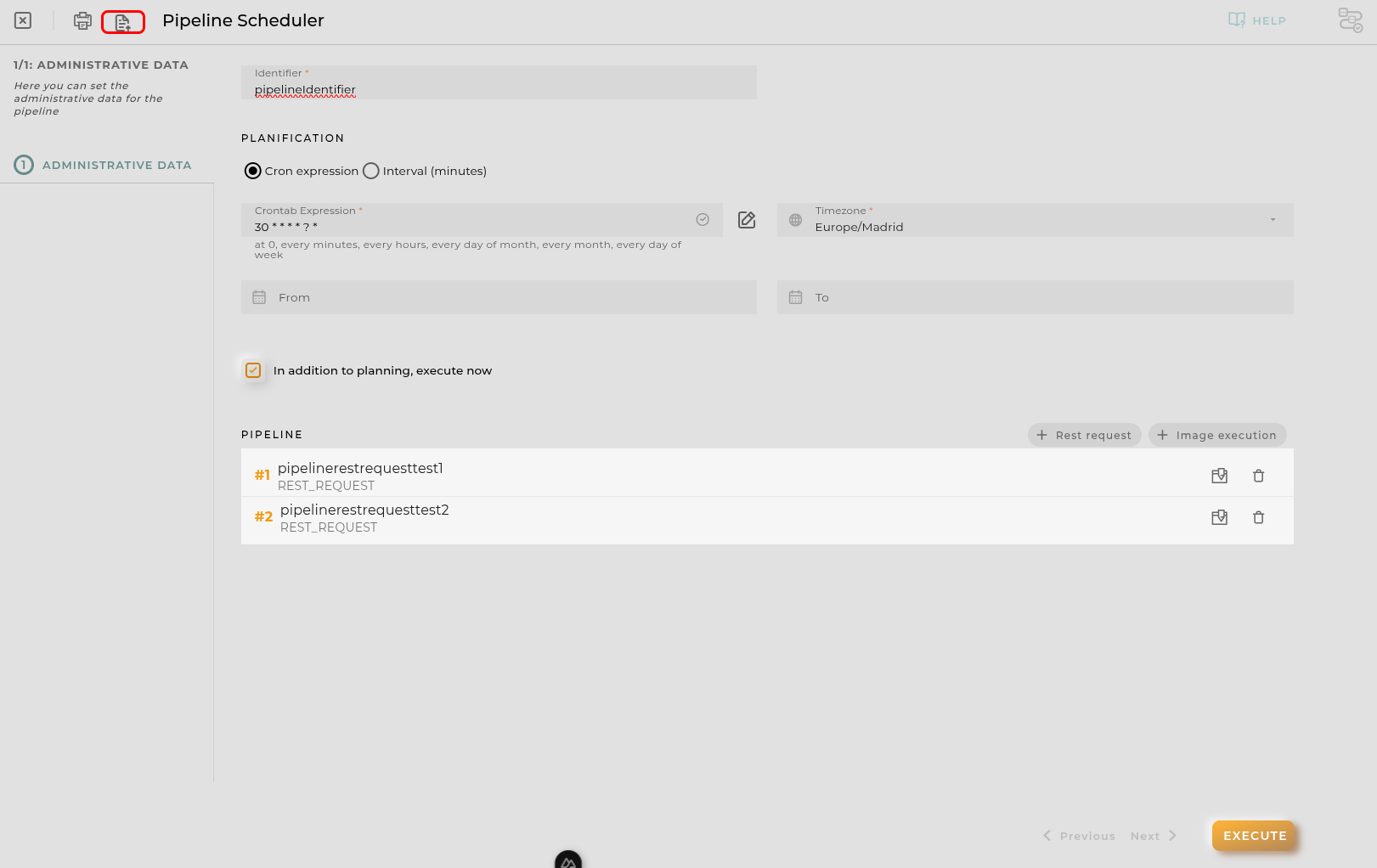
Import/Export Configuration
Allows you to import and export the wizard’s configuration via JSON.
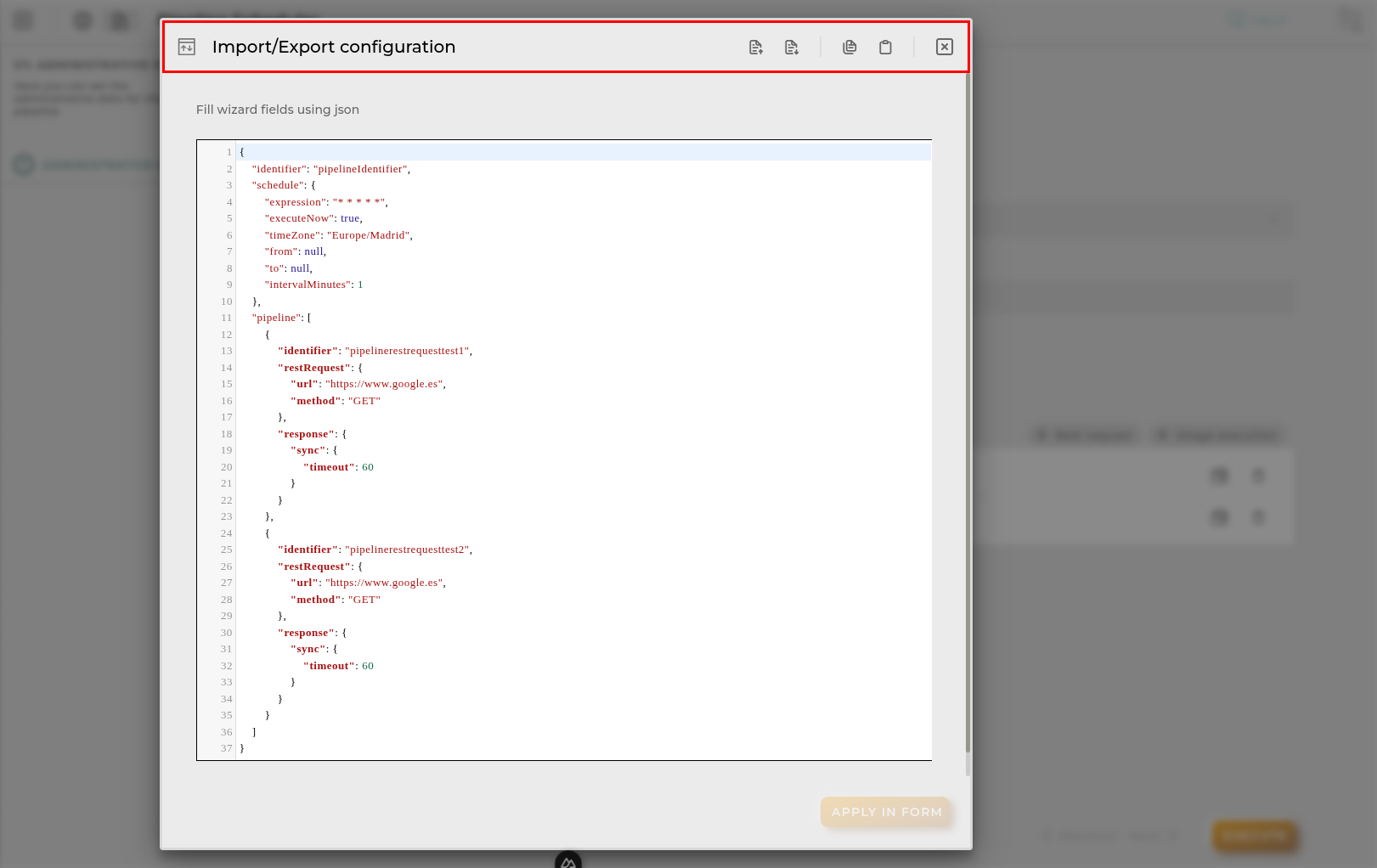
When accessing the import and export functionality, it displays a window with various actions. Additionally, it presents the configuration of the wizard in JSON format.
The available actions are as follows:
- Upload Json: Uploads a JSON file and replaces the previous JSON configuration.
- Paste from clipboard: Pastes JSON data from the clipboard and replaces the previous JSON configuration.
- Download Json: Downloads the JSON configuration as a file with the wizard’s name.
- Copy to clipboard: Copies the JSON configuration to the clipboard.